Describe experiment
General information
Explain experiment background
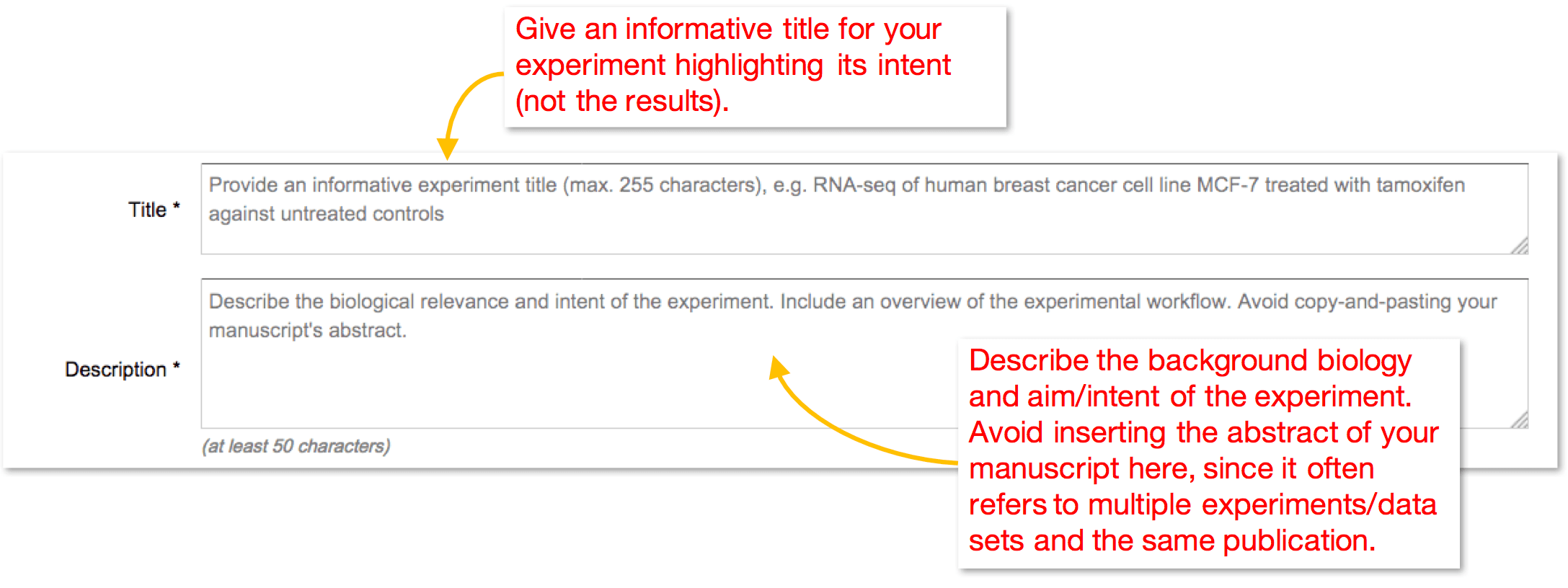
Experiment background is the first thing a journal reviewer or an ArrayExpress user would see about your data set. Make sure you spare a moment to provide adequate information:
Select experimental designs
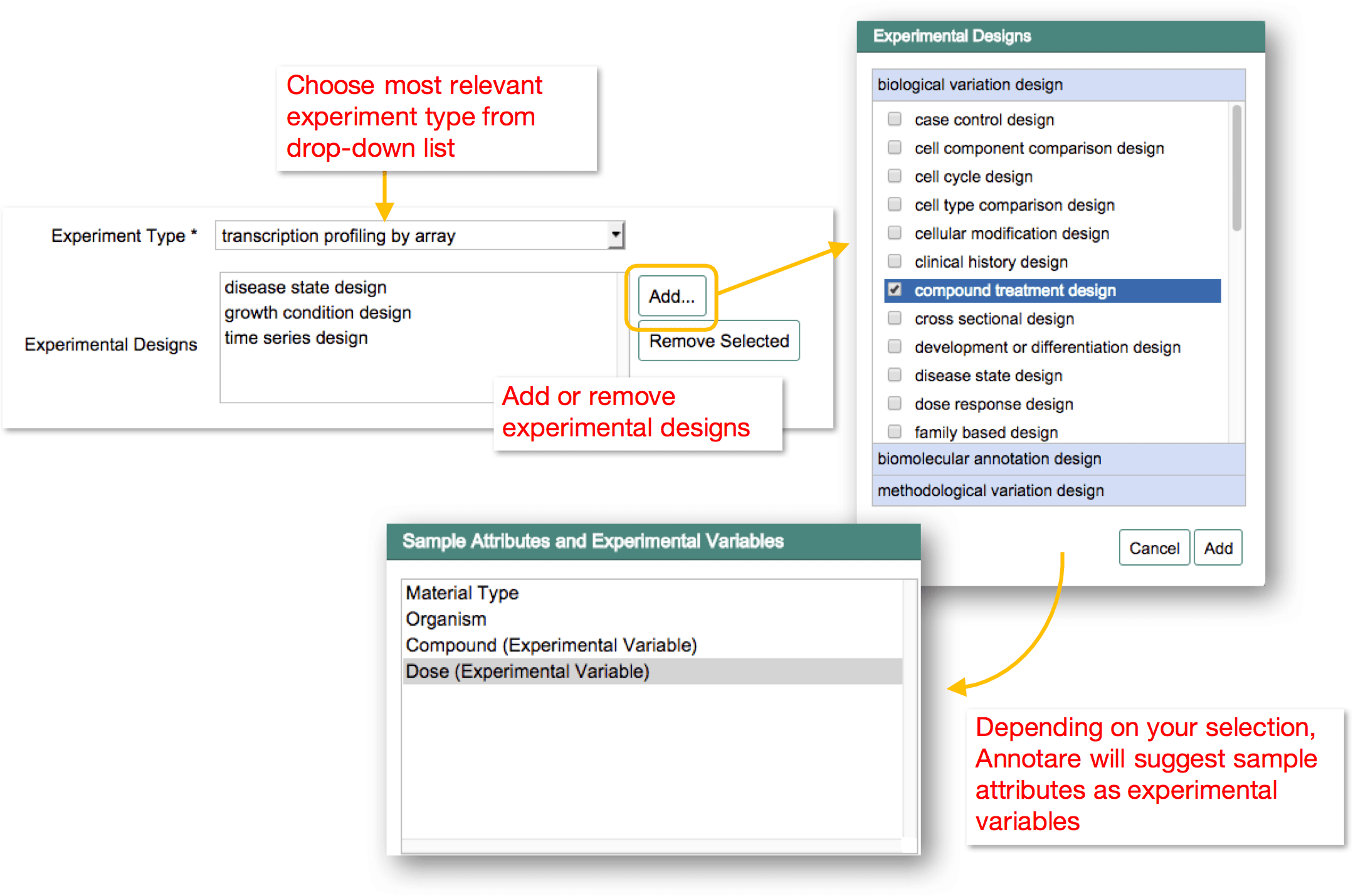
Experiment type: Select a term from the drop-down list that best describes the technology of your experiment. If more than one term apply, please use the "Contact Us" messenger and ask a curator to add the additional experiment types during curation process.
Experimental designs: Pick one or several experimental design types that describe the intent of your experiment. E.g. "genotype design" if you are comparing different genotypes. This list will be pre-filled with the choices during submission setup. You can add or remove terms here. Based on the experimental designs in the list, related sample attributes will be suggested as experimental variables when adding sample attributes and experimental variables.
Select reasonable release date
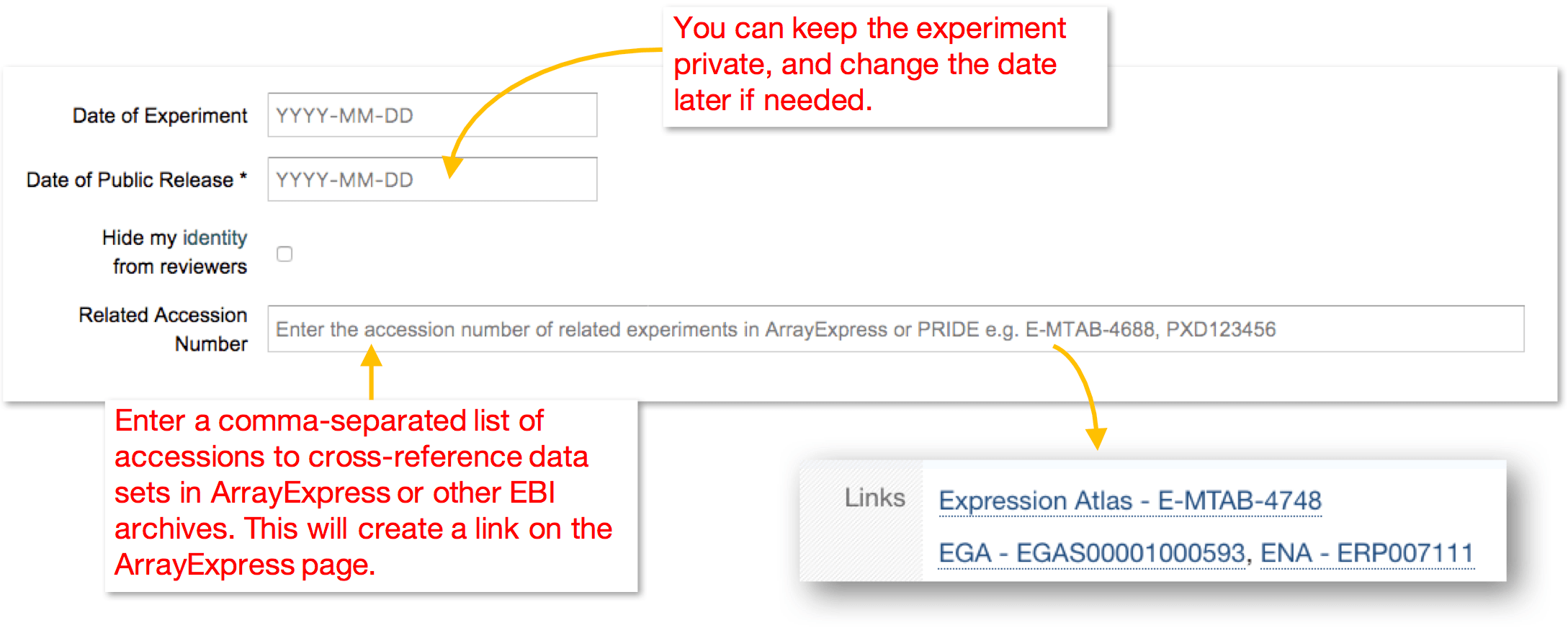
A common question among submitters is about what release date to set, since one can't tell when a manuscript will be accepted/published. You should enter an estimated public release date up to 1 year in the future from the day of submission. For your peace of mind, once your experiment is in ArrayExpress, the release date can be changed for as many times as required to match the peer-review progress. You can also add full citation information to your ArrayExpress experiment when the paper is published.
Link related datasets
If there are any related datasets in ArrayExpress or any other EBI resource that you would like to link to the submission, you can enter the relevant accession numbers as a comma-separated list. A link to the related dataset(s) will appear in the "Links" section of the experiment's ArrayExpress page.
Enable anonymity
To reduce potential bias during peer review, some journals offer manuscript depositers the option of
"double-blind" peer review, where a depositer remains anonymous to the reviewer. Once your experiment is
fully curated and loaded into ArrayExpress, we support "double-blind" peer
review of your experiment by redacting certain metadata fields on the web interface and in the downloadable
full metadata spreadsheets. The redacted fields are those which would reveal your identity inevitably
(e.g. your name, affiliation), or indirectly (e.g. the name of microarray/sequencing facility or performer
of certain protocols). In the following example, the redacted fields are highlighted in red:
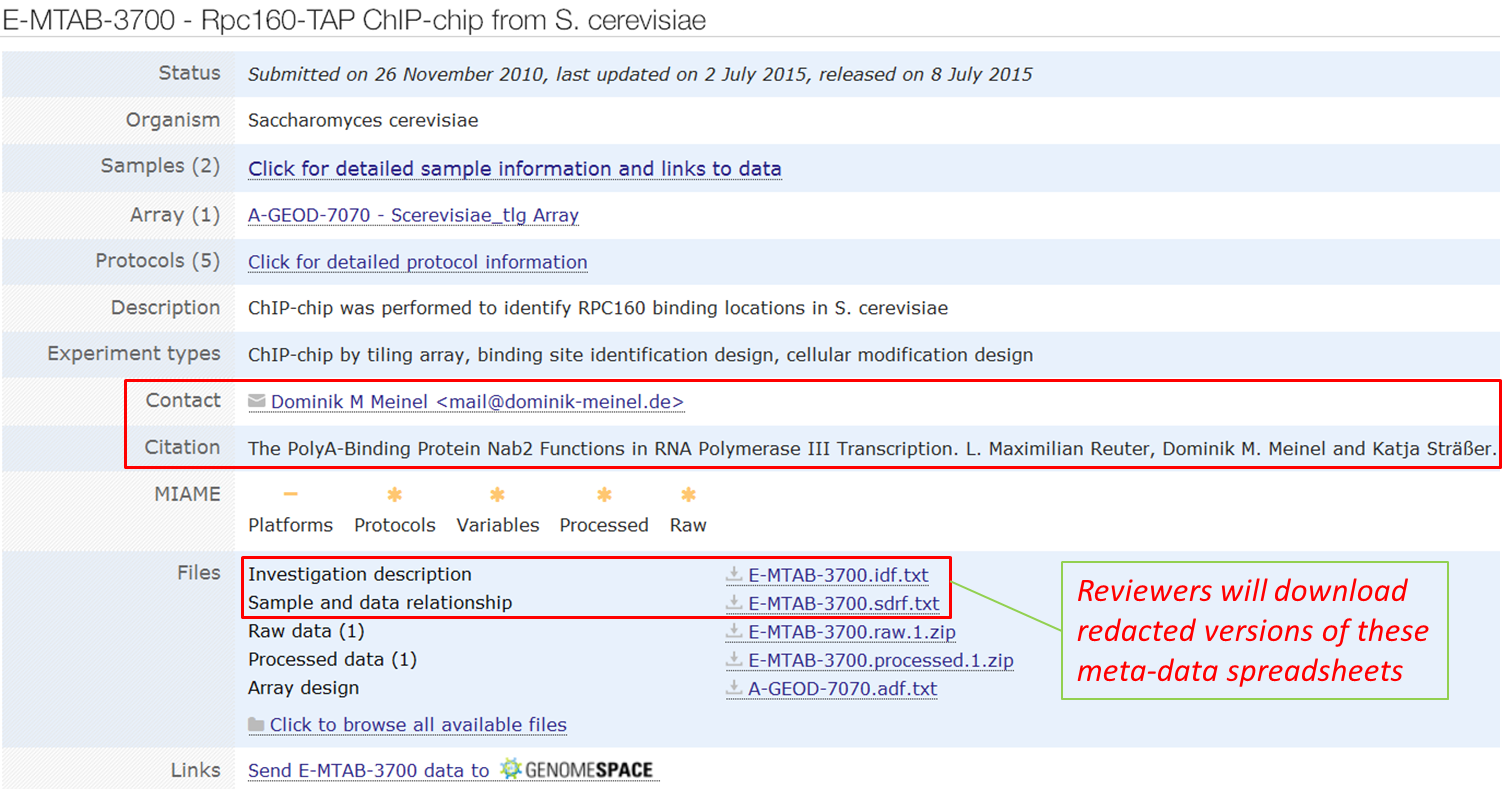
The redaction only applies when a reviewer accesses your experiment, so you as the submitter will continue to see the full metadata record. Anonymity can also be lifted later at your request, e.g. when you submit the manuscript to a different journal which does not support "double-blind" review. Finally, your anonymity will be automatically lifted once the experiment goes public.
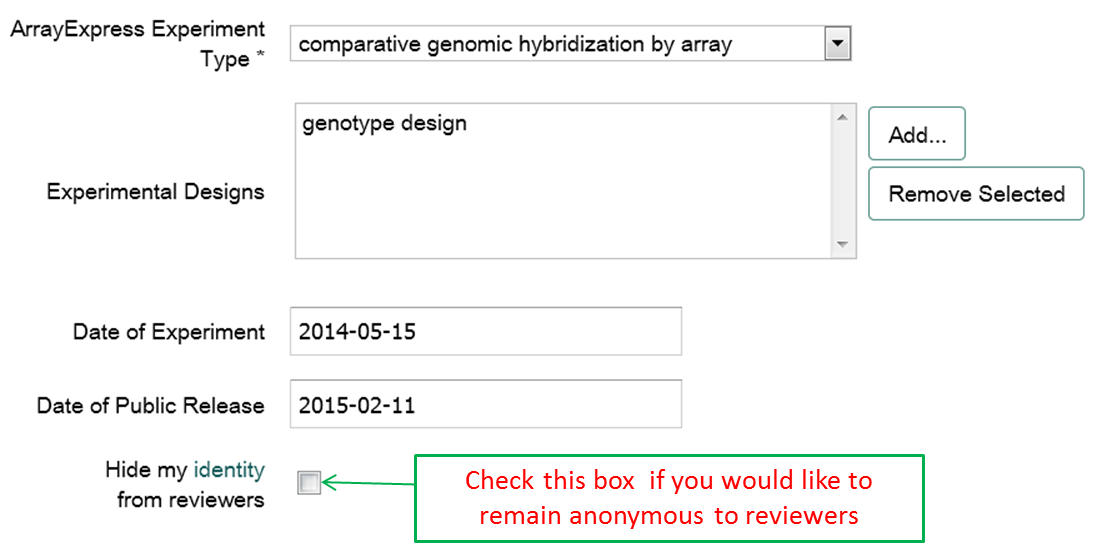
If the journal you are submitting to supports double-blind review and you would like the ArrayExpress record to
have the necessary redactions, simply check the Hide my identity from reviewers box. This is an
"opt-in" feature, so by default the box is unchecked and redaction is disabled. Since ArrayExpress curators do not
modify any submitted data files, to make the most out of this feature, please make sure you do not include any
sensitive information in the data file names (e.g. Joe_Bloggs_stem_cell_fastq.gz) or in any file
metadata (e.g. file headers such as C:\joebloggs\stem-cell_1.cel or "author" of a PDF document):
Provide contact details
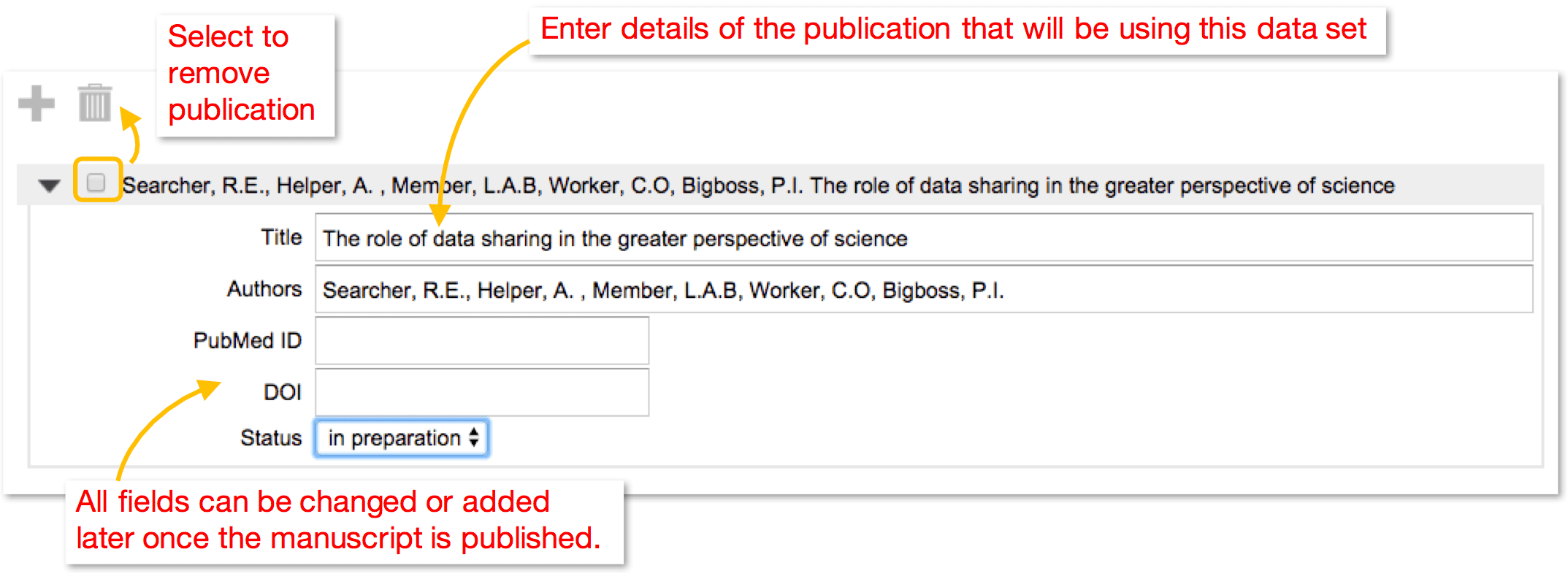
Add publications